How to Create a Strong Password (2026 Guide)
A practical guide to creating secure passwords, avoiding password reuse, and protecting your online accounts in 2026.
Updated May 2026Reviewed by StaySecureHub Editorial TeamEditorial review
Quick Answer
A practical guide to creating secure passwords, avoiding password reuse, and protecting your online accounts in 2026. This guide explains the main benefits, risks, and practical steps readers need to stay secure online in 2026.
Quick Summary
- Weak passwords are still one of the main causes of account hacking
- Password reuse massively increases cybersecurity risk
- Long random passwords are far safer than simple memorable ones
- Password managers simplify strong password protection
Weak passwords remain one of the biggest cybersecurity problems in 2026.
Most account compromises happen because users choose short, predictable, or reused passwords.
Modern hackers use automated tools capable of testing millions of password combinations in seconds.
[[image:strong-password|Strong password and account security illustration]]What Makes a Password Strong?
A strong password should be:
- Long
- Random
- Unique
- Difficult to guess
Modern security experts recommend:
- At least 12–16 characters
- Uppercase and lowercase letters
- Numbers and symbols
- No personal information
Why Weak Passwords Are Dangerous
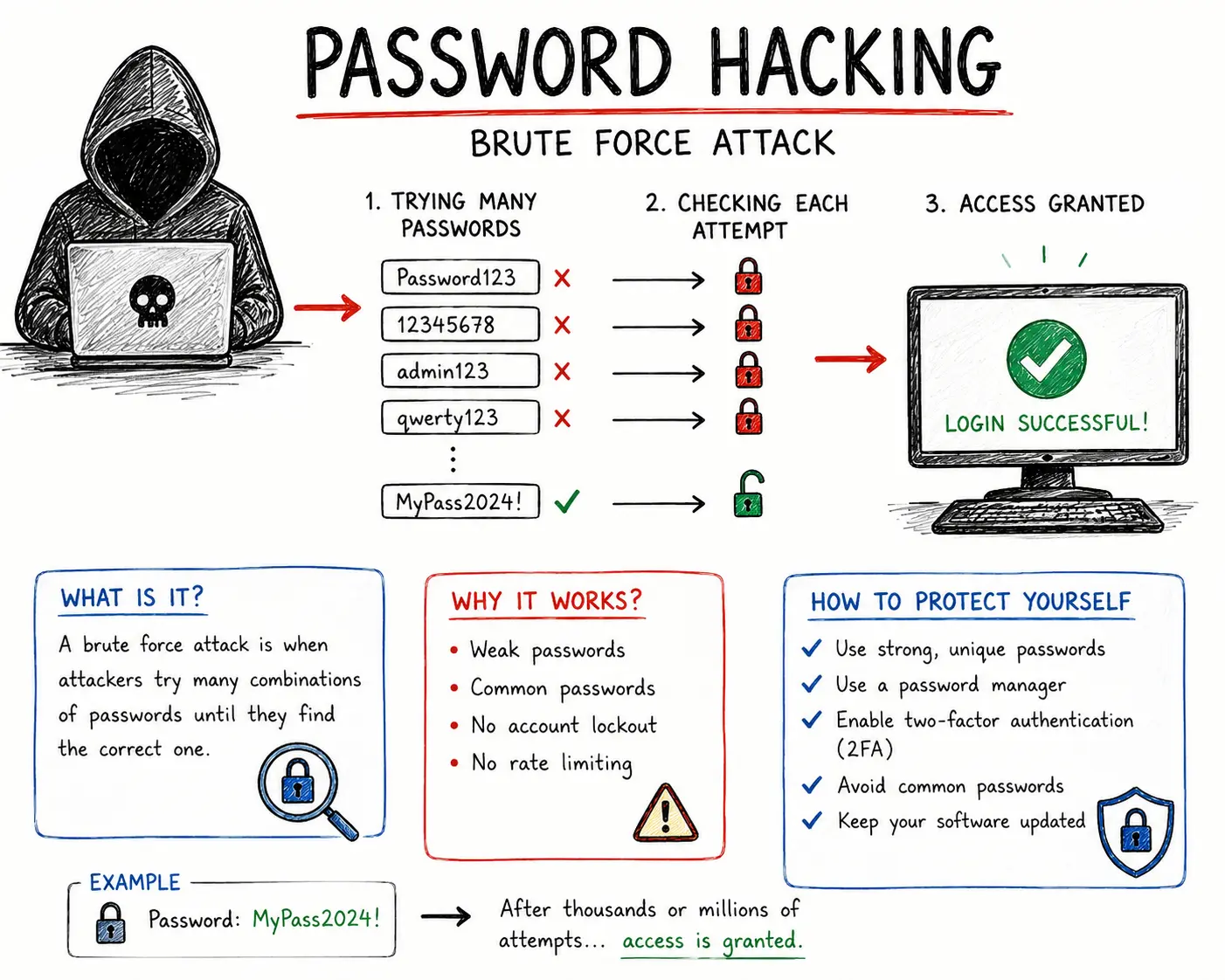
Cybercriminals use several techniques to crack weak passwords.
Common attack methods include:
- Brute force attacks
- Credential stuffing
- Phishing scams
- Data breach leaks
If attackers gain access to one account, they often attempt to access many others using the same credentials.
Strong Password Examples
Examples of stronger passwords:
- G7!kP9#xL2@vQ4
- T8&dQ4!mZp2@Ls
- F7@pL3!xVq9#Rt
Examples of weak passwords:
- 123456
- Password123
- qwerty
- john1989
Most Common Password Mistakes
| Mistake | Risk | Danger Level |
|---|---|---|
| Password reuse | Multiple accounts compromised | Very High |
| Short passwords | Easy brute force attacks | High |
| Personal information | Easy guessing attacks | Medium |
| Storing passwords in notes | Exposure after device compromise | Medium |
| No 2FA enabled | Easy account takeover | High |
Why Password Reuse Is So Dangerous
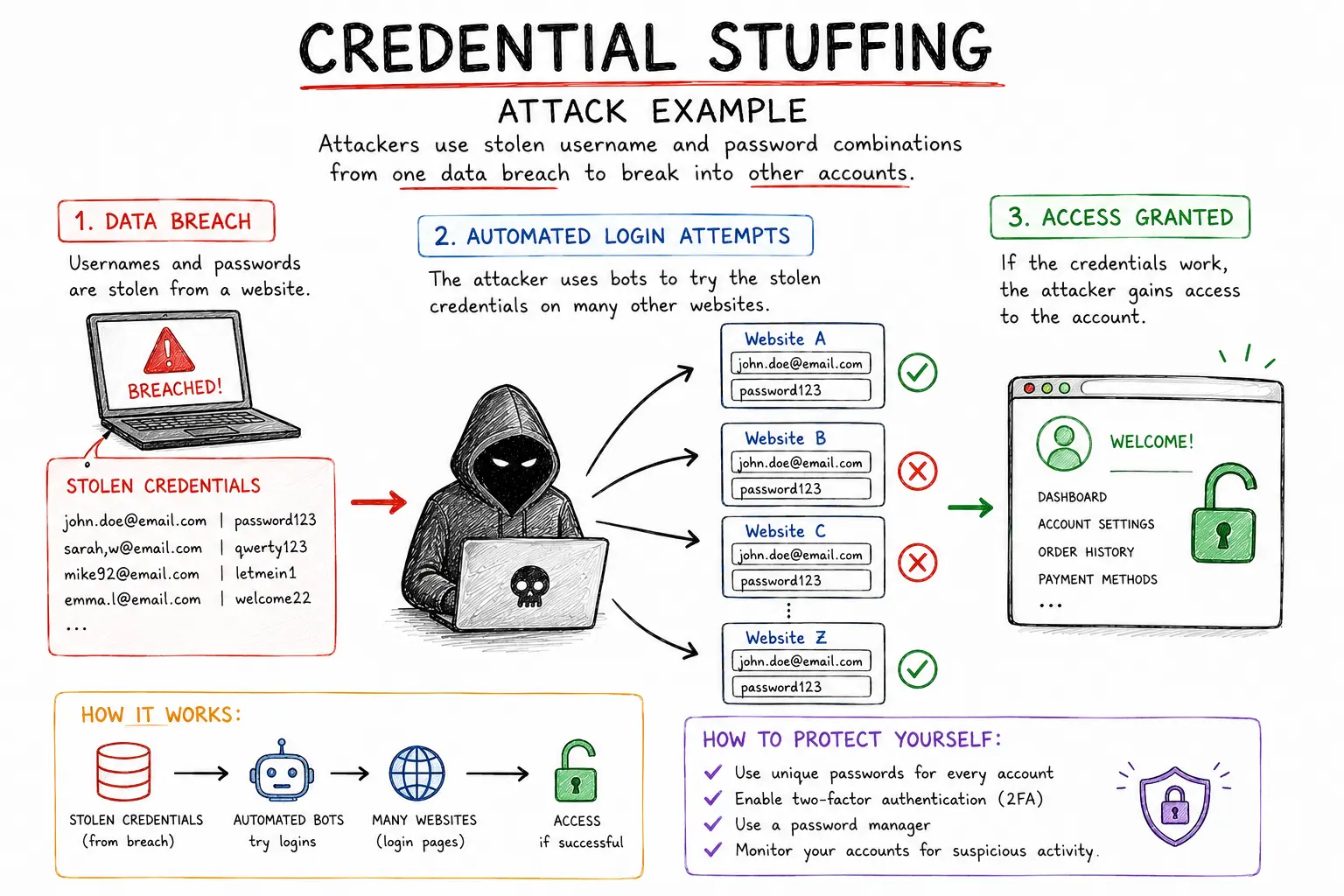
Password reuse is one of the biggest causes of account breaches.
If one website suffers a data leak, attackers may automatically test the same credentials on:
- Email accounts
- Banking apps
- Social media
- Cloud storage
- Shopping websites
This is called credential stuffing.
Best Solution: Use a Password Manager
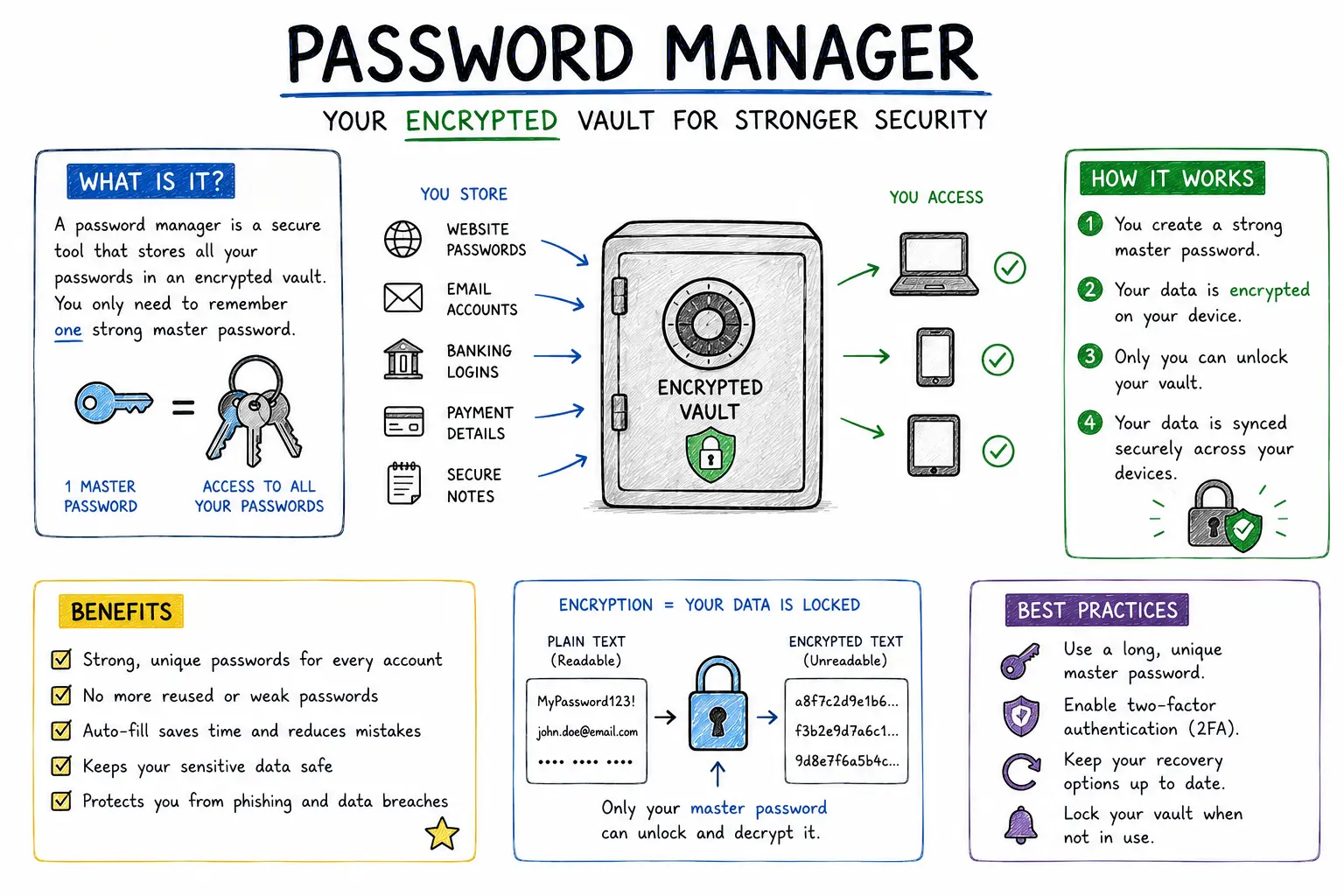
Password managers are one of the safest ways to manage credentials securely.
They help:
- Generate random passwords
- Store credentials securely
- Prevent password reuse
- Auto-fill login forms safely
- Reduce phishing risks
Enable Two-Factor Authentication (2FA)
Even strong passwords can sometimes be leaked.
2FA adds an additional security layer requiring a second verification step.
Popular 2FA methods include:
- Authenticator apps
- Security keys
- Passkeys
Password Security Checklist
- Use unique passwords everywhere
- Use at least 12–16 characters
- Enable 2FA on important accounts
- Never share passwords
- Avoid suspicious login pages
- Use a trusted password manager
How Often Should You Change Passwords?
You do not need to constantly change strong passwords unless:
- A data breach occurred
- Your password was reused
- You suspect phishing
- Your account shows suspicious activity
Frequent unnecessary password changes sometimes encourage weaker habits.
What To Do If Your Password Was Leaked
- Change the password immediately
- Enable 2FA
- Check for password reuse
- Review account activity
- Update recovery information
Fast action significantly reduces the risk of account takeover.
Final Verdict
Strong passwords remain one of the most important cybersecurity protections.
The safest strategy is simple: use long unique passwords, enable 2FA, and rely on a trusted password manager.
Small improvements in password habits can prevent major security problems later.
How We Evaluated This Guide
We evaluated this guide for security, privacy, usability, pricing, features, and real-world usefulness so readers can make better decisions.
Alternative Options
We also compare this topic with relevant alternatives to help you decide whether it is the best choice for your needs.
Common Security Myths
Myth
iPhones cannot get malware.
Reality
iPhones are harder to compromise than many devices, but phishing, malicious profiles, scam apps, and account takeover still affect iOS users.
Myth
Android is automatically insecure.
Reality
Modern Android can be secure when updated, locked down, and used with trusted apps from reputable sources.
What Security Experts Recommend
- Use a reputable password manager for unique passwords and secure vault storage.
- Adopt passkeys on important accounts when available, but keep recovery methods protected.
- Enable two-factor authentication, preferably with an authenticator app or security key.
- Install operating system, browser, and app updates promptly.
- Review app permissions, browser extensions, and account recovery options every few months.
Best Security Tools

Bitdefender
Malware protection and device security
9.5

NordPass
Password managers, passkeys, secure sharing
9.3

NordVPN
VPN privacy, public Wi-Fi, streaming
9.6

Incogni
Personal data removal and broker opt-outs
9.2
Frequently Asked Questions
What is How to Create a Strong Password (2026 Guide)?
How to Create a Strong Password (2026 Guide) is a practical guide that explains the main benefits, risks, and best practices for using security tool technology safely.
How does How to Create a Strong Password (2026 Guide) help protect privacy?
This guide highlights how How to Create a Strong Password (2026 Guide) reduces tracking, secures personal data, and helps you stay safe online.
Who should read this guide?
This guide is useful for beginners and experienced users who want clear advice on security, privacy, and practical online protection.
What are the main risks covered in this guide?
The guide covers common risks such as unsecured Wi-Fi, weak passwords, data leaks, and privacy exposures.
What should I do after reading this guide?
After reading, use the recommended steps and tools to improve your online privacy, strengthen passwords, and secure your devices.