
NordPass is one of the best password managers for beginners, families, and everyday users in 2026.
Built by the team behind NordVPN, NordPass focuses on making password security simple. It combines a clean interface, modern XChaCha20 encryption, zero-knowledge architecture, passkey support, breach monitoring, secure sharing, and smooth apps across desktop, mobile, and browser extensions.
In this NordPass review, we look at its security, pricing, free plan, Premium features, passkeys, Data Breach Scanner, Password Health, ease of use, pros, cons, and how it compares with Bitwarden, 1Password, Google Password Manager, and browser password storage.
Quick Verdict
NordPass is one of the easiest password managers to recommend in 2026, especially for beginners and everyday users.
Its biggest advantage is usability. The apps are clean, autofill works well, and the setup process is simple enough for people who have never used a dedicated password manager before.
Security is also strong. NordPass uses XChaCha20 encryption, a zero-knowledge model, multi-factor authentication options, biometric login, and tools such as Password Health and Data Breach Scanner.
The main drawback is that the free plan is not as generous as Bitwarden's. If you want the strongest free password manager, Bitwarden may be better. If you want the smoother and more beginner-friendly experience, NordPass is the easier choice.
NordPass at a Glance
- Best for: beginners, families, and everyday users
- Encryption: XChaCha20
- Architecture: zero-knowledge
- Free plan: yes
- Premium: commonly promoted from around $1.49/month, depending on region and offer
- Passkeys: supported
- Main strength: excellent usability
- Main drawback: free plan is more limited than Bitwarden
NordPass Rating
- Security: 9.5/10
- Performance: 9.2/10
- Features: 9.2/10
- Price: 9.3/10
- Ease of use: 9.6/10
- Privacy: 9.2/10
Who Is NordPass Best For?
- Beginners who want simple password protection
- Users switching away from saving passwords in Chrome, Edge, Firefox, Safari, or Brave
- Families that want an easier password manager
- People who want breach monitoring and password health alerts
- Users who want passkey support and passwordless login features
- People already using NordVPN or other Nord Security products
- Users looking for an affordable Premium password manager
Who Should Avoid NordPass?
NordPass may not be the best choice if you want the most generous free plan, open-source software, or advanced technical customization.
Users who want an open-source password manager with a very strong free tier may prefer Bitwarden. Users who want the most advanced family and business workflows may also want to compare NordPass with 1Password and Keeper.
👉 Related: Read our Bitwarden review
How Does NordPass Work?
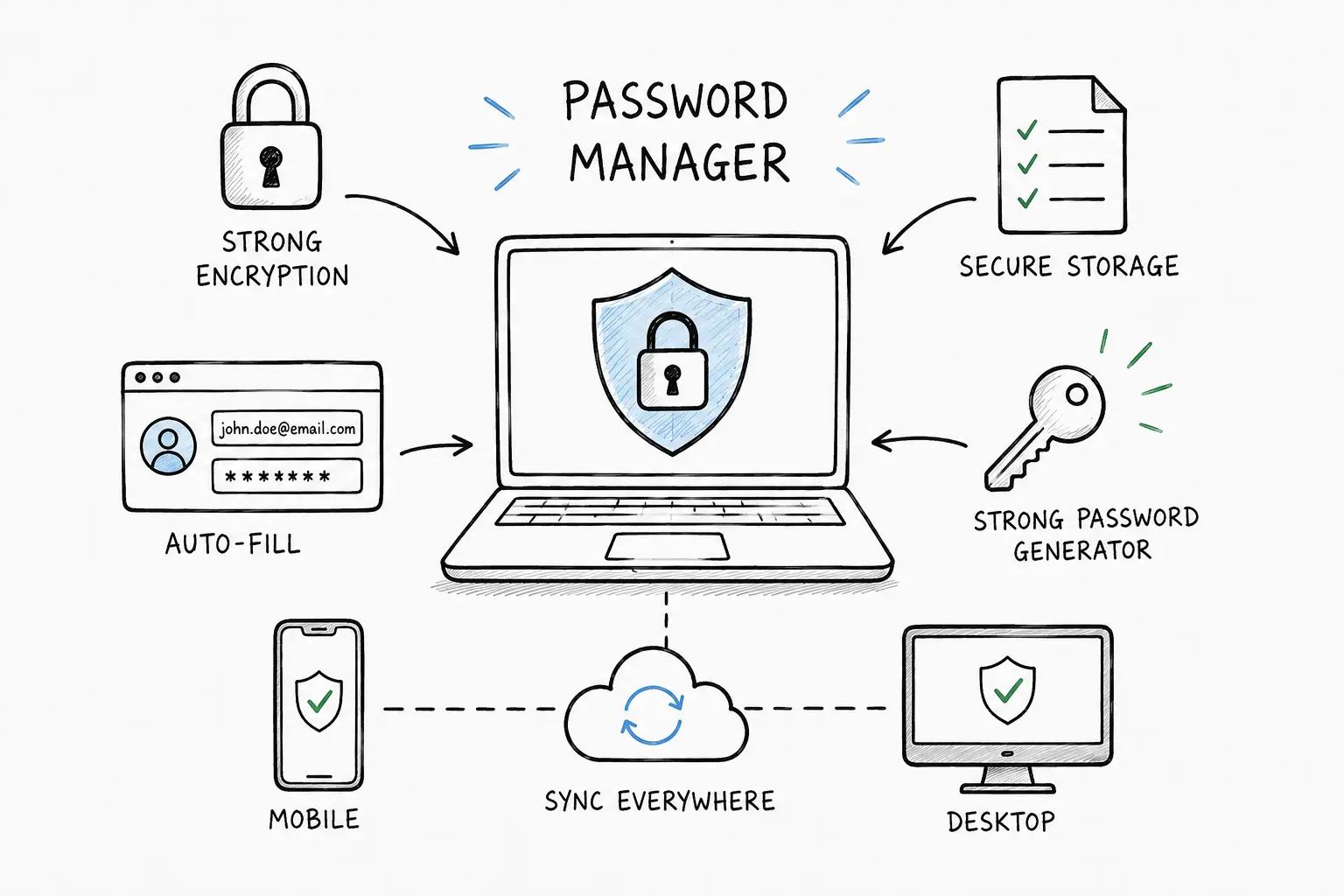
NordPass stores your passwords, passkeys, secure notes, credit card details, and other sensitive information inside an encrypted vault.
You unlock that vault using your master password, biometric authentication, or supported account recovery methods. Once unlocked, NordPass can autofill logins, save new passwords, generate stronger passwords, and sync your vault across supported devices.
NordPass is designed so users only need to remember one strong master password instead of reusing weak passwords across dozens of accounts.
👉 Related: What Is a Password Manager?
Security & Encryption
Security is one of the main reasons to choose a password manager over browser password storage.
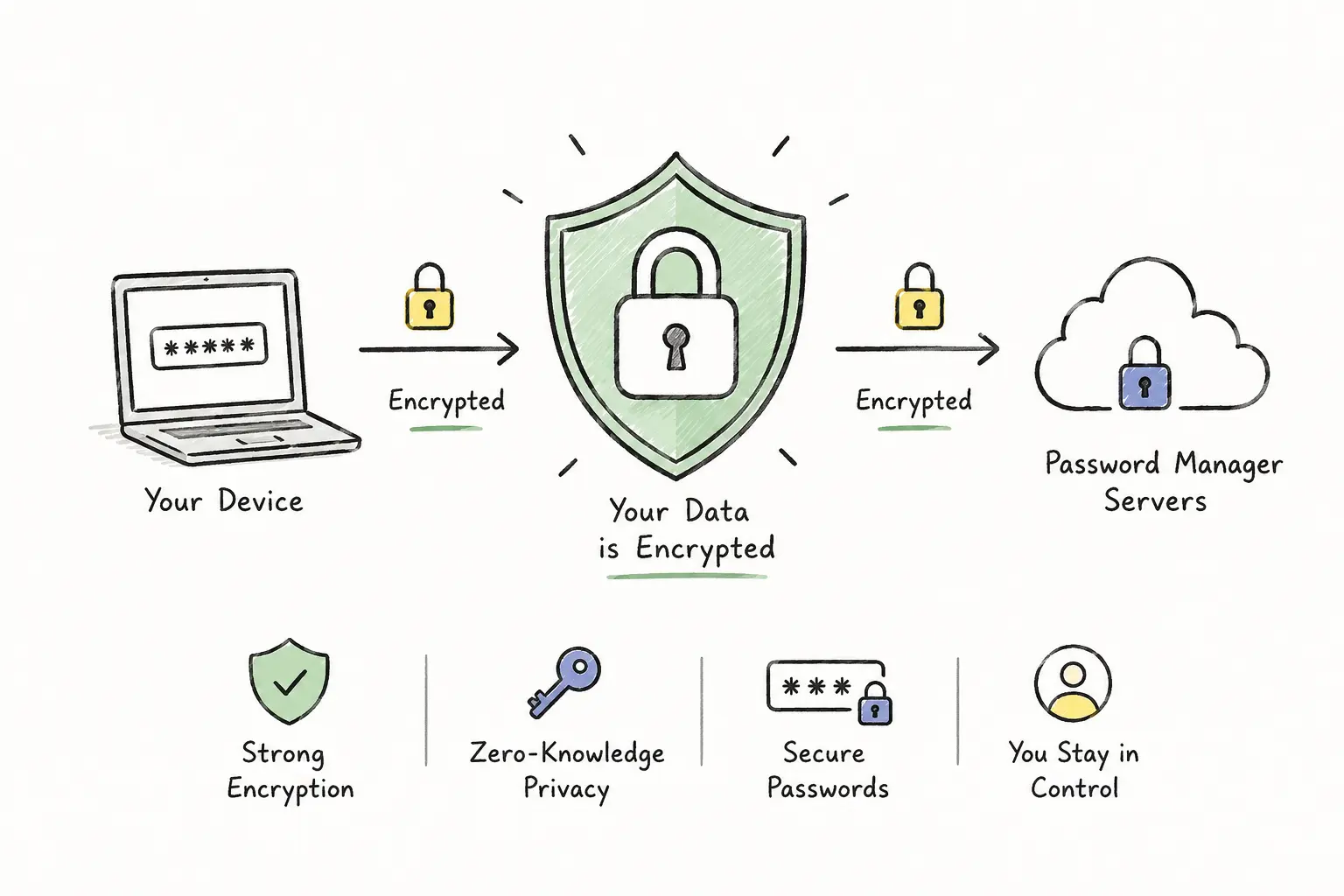
NordPass uses XChaCha20 encryption to protect vault data. This is a modern encryption algorithm that NordPass highlights as one of its major technical differentiators.
NordPass also uses a zero-knowledge architecture. In simple terms, this means the contents of your vault are encrypted in a way that prevents NordPass from reading your saved passwords, secure notes, credit cards, or other stored items.
That said, your security still depends heavily on your own setup. A weak master password, reused email password, or disabled 2FA can still increase risk.
Is NordPass Safe?
Yes. NordPass is a safe password manager for most personal, family, and business users.
Important security features include:
- XChaCha20 encrypted vault
- Zero-knowledge architecture
- Password generator
- Passkey support
- Secure item sharing
- Password Health reports
- Data Breach Scanner
- Email Masking
- Biometric authentication
- Multi-factor authentication support
- Independent security audits
NordPass Security Features
NordPass includes both basic password management tools and more advanced security features.
- Encrypted vault: stores passwords, passkeys, credit cards, secure notes, and personal information.
- Password generator: creates strong and unique passwords.
- Autosave and autofill: saves new logins and fills them on supported websites.
- Password Health: identifies weak, reused, or old passwords.
- Data Breach Scanner: checks whether sensitive data appears in known breaches.
- Email Masking: helps hide your real email when signing up for services.
- Secure sharing: shares passwords and sensitive items more safely than email or chat.
- Biometrics: supports unlocking with fingerprint or Face ID on compatible devices.
Does NordPass Support Passkeys?
Yes. NordPass supports passkeys, which are becoming an important part of passwordless authentication.
Passkeys are designed to reduce phishing risk by replacing traditional passwords with cryptographic login credentials. Instead of typing a password that can be stolen or reused, users authenticate with a device-based method such as biometrics or a secure device prompt.
For users who want a password manager that is prepared for the future of authentication, NordPass is a strong option because it can manage both traditional passwords and passkeys.
👉 Related: How to Protect Online Accounts
Autofill and Autosave
NordPass can automatically save new logins and autofill existing credentials when you visit websites and apps.
This is one of the most important practical features because it helps users avoid typing passwords manually, reusing weak passwords, or storing credentials in notes and spreadsheets.
Autofill performance can vary depending on the website, browser, and device, but NordPass is generally smooth and beginner-friendly.
Data Breach Scanner
The Data Breach Scanner is one of the most valuable NordPass Premium features.
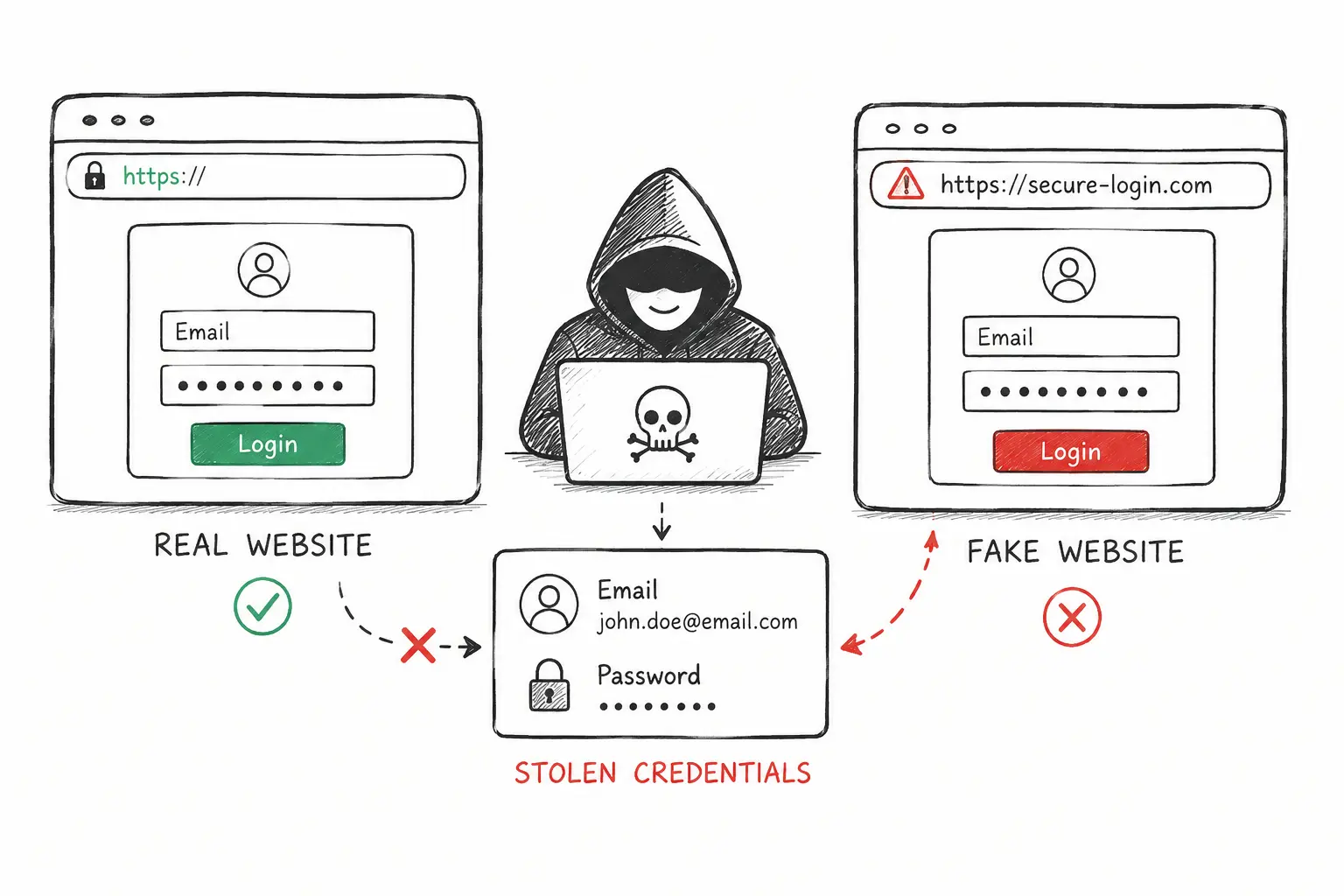
It helps users identify whether saved credentials, emails, or other sensitive information have appeared in known data leaks.
This is useful because many account takeovers happen after old leaked passwords are reused on other websites. If NordPass detects compromised credentials, the user can change those passwords before attackers abuse them.
👉 Related: How Hackers Steal Passwords
Password Health
Password Health helps identify weak, reused, or old passwords in your vault.
This is especially useful for people who have used the same password across multiple websites for years.
Instead of manually checking every account, NordPass can highlight the risky passwords you should replace first.
For most users, the best approach is to start with email, banking, cloud storage, social media, and work-related accounts.
Email Masking
Email Masking helps users create alternative email addresses when signing up for websites, newsletters, or online services.
This can reduce spam, limit exposure of your real email address, and make it harder for attackers to connect your identity across multiple websites.
Email masking is not a replacement for good password hygiene, but it is a useful privacy feature when combined with strong unique passwords and 2FA.
Secure Password Sharing
NordPass allows users to share passwords and other sensitive items more safely than sending them through email, messaging apps, spreadsheets, or plain text documents.
This is important for families, couples, freelancers, and small teams that need access to shared accounts.
Secure sharing reduces the risk of exposing credentials accidentally and makes it easier to revoke or manage access later.
NordPass Free Plan
NordPass offers a free plan with essential password manager features such as secure storage, autosave, and autofill.
However, the free plan is not the main reason to choose NordPass over Bitwarden. Bitwarden usually offers a stronger free plan for users who want maximum value without paying.
NordPass becomes more attractive when you want the cleaner interface, multi-device convenience, Password Health, Data Breach Scanner, file attachments, secure sharing, and other Premium features.
👉 Related: Best Free Password Managers
NordPass Pricing and Plans
NordPass pricing can change depending on region, offer, billing period, and promotional campaigns. In many promotions, Premium is advertised from around $1.49/month, but users should always check the final checkout price and renewal terms.
| Plan | Best for | Key features |
|---|---|---|
| Free | Basic password storage | Autosave, autofill, secure vault, essential features |
| Premium | Individuals | Multi-device access, Password Health, Data Breach Scanner, file attachments, secure sharing |
| Family | Families and shared households | Multiple user accounts, shared security features, easier password management for family members |
| Business | Teams and companies | Access management, admin controls, business security tools, team credential protection |
Is NordPass Premium Worth It?
Yes, NordPass Premium is worth considering if you want more than basic password storage.
The strongest Premium reasons are multi-device access, Data Breach Scanner, Password Health, secure sharing, file attachments, and a smoother everyday experience.
If you only want a free password manager and do not care about premium features, Bitwarden may offer better value. If you want a more polished and beginner-friendly product, NordPass Premium is a stronger choice.
Is NordPass Good for Families?
Yes. NordPass is a good password manager for families because it is simple enough for non-technical users.
Family members can use it to store streaming passwords, shopping accounts, banking logins, school accounts, utility portals, and other household credentials more safely.
The biggest advantage for families is not only security, but also reducing confusion. Instead of passwords being stored in WhatsApp messages, notebooks, browser profiles, or spreadsheets, they can be managed in one encrypted system.
For advanced family workflows, 1Password is also worth comparing. For simplicity, NordPass is one of the easiest options.
NordPass for Small Businesses
NordPass also offers business password management for teams and organizations.
For small businesses, a password manager can reduce password reuse, protect shared credentials, and make onboarding and offboarding safer.
Business-focused features may include admin controls, user management, access policies, secure sharing, activity visibility, and integrations depending on the plan.
For agencies, freelancers, IT teams, and small companies, NordPass can be a practical step toward better credential security.
NordPass vs Browser Password Managers
Saving passwords in Chrome, Edge, Firefox, Safari, Google Password Manager, or Apple iCloud Keychain is convenient. But a dedicated password manager usually provides stronger organization, better sharing, breach monitoring, cross-platform flexibility, and security-focused features.
NordPass is especially useful if you use more than one browser, have both work and personal accounts, or want to stop relying on one ecosystem.
Browser password storage is better than reusing passwords everywhere, but NordPass is a more complete password management solution.
👉 Related: Password Manager vs Browser Password Storage
NordPass vs Google Password Manager
Google Password Manager is convenient for Chrome and Android users, but NordPass offers a broader password management experience.
- NordPass works across more browsers and platforms.
- NordPass includes secure item sharing.
- NordPass includes Data Breach Scanner and Password Health tools.
- NordPass supports storing more types of sensitive data in one encrypted vault.
- NordPass is better for users who do not want to be locked into one browser ecosystem.
If you only use Chrome and Android, Google Password Manager may be enough for basic use. If you want stronger control, privacy features, and better security tools, NordPass is the better option.
NordPass vs Bitwarden
NordPass and Bitwarden are both strong password managers, but they appeal to different users.
Bitwarden is better for users who want open-source transparency, a very generous free plan, and more technical control. NordPass is better for users who want a cleaner design, smoother onboarding, and a more beginner-friendly experience.
If your priority is maximum free value, choose Bitwarden. If your priority is usability and a polished interface, choose NordPass.
| Feature | NordPass | Bitwarden |
|---|---|---|
| Ease of use | Excellent | Good |
| Free plan | Good, but limited | Excellent |
| Open-source | No | Yes |
| Best for | Beginners and families | Advanced/value users |
| Main strength | Usability | Transparency and value |
👉 Related: Read our Bitwarden review
NordPass vs 1Password
NordPass and 1Password are both polished premium password managers.
1Password is especially strong for families, advanced users, and teams that want detailed vault organization and mature sharing workflows. NordPass is usually easier for beginners and may feel simpler for users who mainly want password storage, autofill, breach monitoring, and passkey support.
Choose NordPass if you want simplicity and good value. Choose 1Password if you want more advanced family or team workflows and do not mind paying more.
👉 Related: Compare the best password managers
NordPass vs Keeper
Keeper is a strong password manager for users who want advanced security features, business controls, and enterprise-grade password management.
NordPass is easier for beginners and more focused on simple everyday use. Keeper may appeal more to users who want deeper customization, secure file storage, or business-oriented controls.
For most casual users, NordPass will feel easier. For advanced security needs, Keeper is worth comparing.
👉 Related: Read our Keeper review
Common NordPass Complaints
- The free plan is more limited than Bitwarden's free plan.
- Some advanced features require Premium.
- Pricing can change depending on promotions and renewal terms.
- Users who prefer open-source tools may prefer Bitwarden.
- Power users may want more customization options.
Best NordPass Alternatives
The best NordPass alternative depends on what you value most.
- Bitwarden: best if you want open-source transparency and the strongest free plan.
- 1Password: best if you want advanced family or team features.
- Keeper: best if you want security-focused business controls.
- Google Password Manager: acceptable for basic Chrome and Android users, but less complete than NordPass.
👉 Related: Best Password Managers in 2026
How We Evaluated NordPass
Our NordPass review considers the factors that matter most for real-world password security:
- Encryption and security architecture
- Zero-knowledge protection
- Passkey support
- Password generator quality
- Autofill and autosave reliability
- Browser extension experience
- Mobile app experience
- Password Health and breach monitoring
- Secure sharing
- Pricing and long-term value
- Suitability for beginners, families, and small businesses
Why Trust This Review?
This review is designed to help normal users choose a password manager based on practical security, usability, value, and long-term protection.
We compare NordPass against browser password storage and leading alternatives such as Bitwarden, 1Password, and Keeper.
Our focus is not only on features, but on whether the product helps users stop dangerous habits such as password reuse, weak passwords, storing credentials in notes, or sharing passwords through unsafe channels.
Final Verdict
NordPass is one of the best password managers for most users in 2026.
It combines strong encryption, zero-knowledge security, clean apps, passkey support, breach monitoring, secure sharing, and one of the most beginner-friendly interfaces in the password manager market.
Bitwarden remains stronger for users who want open-source transparency and a generous free plan. 1Password may be stronger for advanced family and team workflows. But for beginners and everyday users who want security without complexity, NordPass is one of the safest recommendations.
If you want a password manager that is secure, modern, polished, and easy to use, NordPass is an excellent choice in 2026.
Should You Use NordPass?
You should consider NordPass if you want a beginner-friendly password manager with strong encryption, clean apps, passkey support, breach alerts, and simple password sharing.
You may prefer Bitwarden if your main priority is the best free plan or open-source software.
For most everyday users, NordPass is a strong upgrade over browser password storage and a practical way to improve account security quickly.