How to Protect Your Online Accounts (2026 Guide)
A complete guide to protecting your online accounts from hacking, phishing, credential theft, and account takeover attacks.
Updated May 2026Reviewed by StaySecureHub Editorial TeamEditorial review
Quick Summary
- Most account breaches happen because of weak passwords and phishing
- Two-factor authentication dramatically improves account security
- Password managers help prevent credential theft
- Layered security is essential in 2026
Protecting your online accounts is more important than ever in 2026.
Quick Answer
To protect your online accounts in 2026, use unique passwords, enable two-factor authentication, use a password manager, avoid phishing attacks, and monitor login activity regularly.
Cybercriminals increasingly target personal accounts using phishing attacks, credential theft, malware, and social engineering.
Even one compromised account can expose your emails, banking information, social media profiles, and private data.
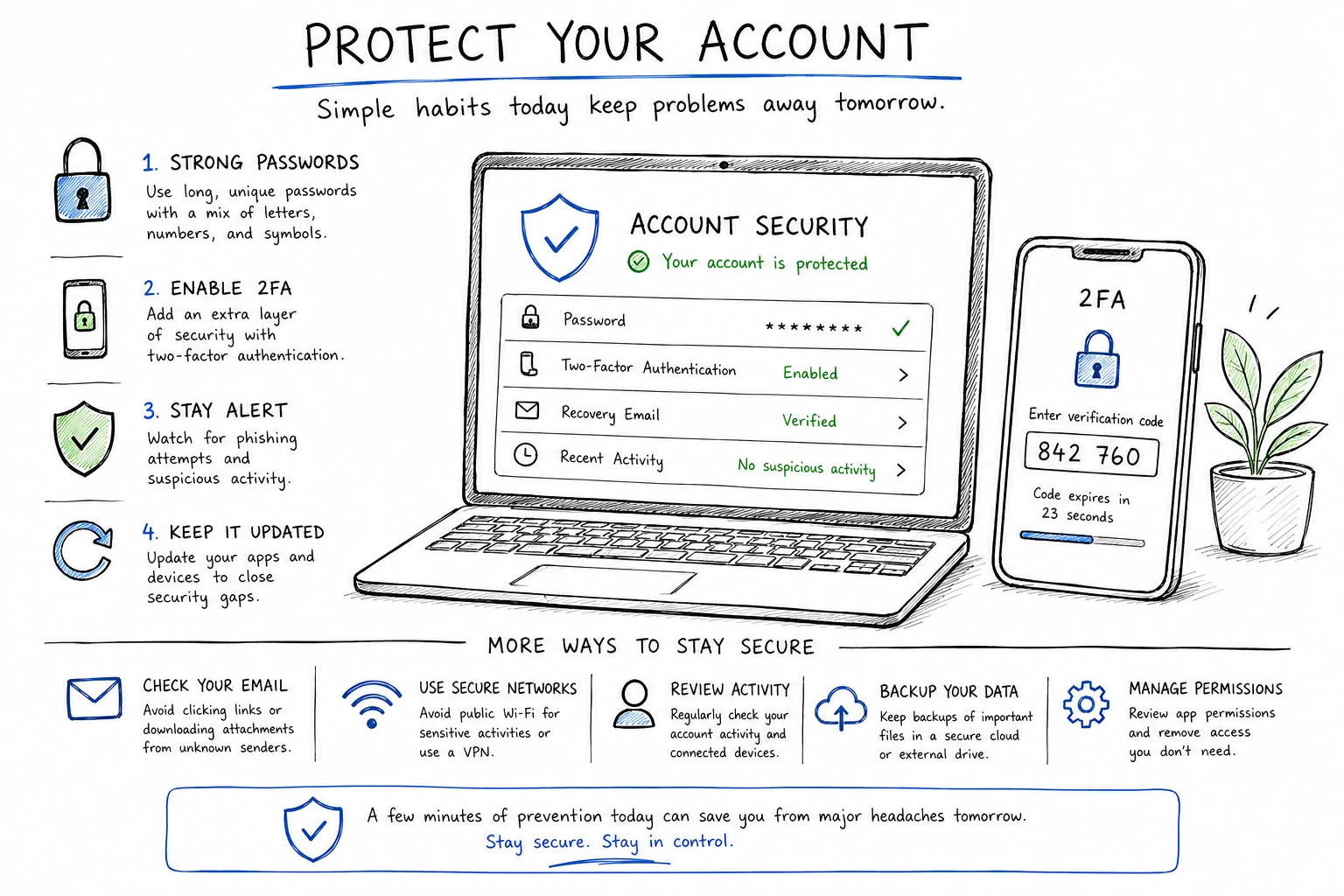
Most Common Threats to Online Accounts
| Threat | Goal | Risk Level |
|---|---|---|
| Phishing attacks | Steal login credentials | Very High |
| Password reuse | Credential stuffing | High |
| Data breaches | Expose passwords | High |
| Malware | Steal saved passwords | High |
| Public Wi-Fi attacks | Intercept data | Medium |
1. Use Strong & Unique Passwords
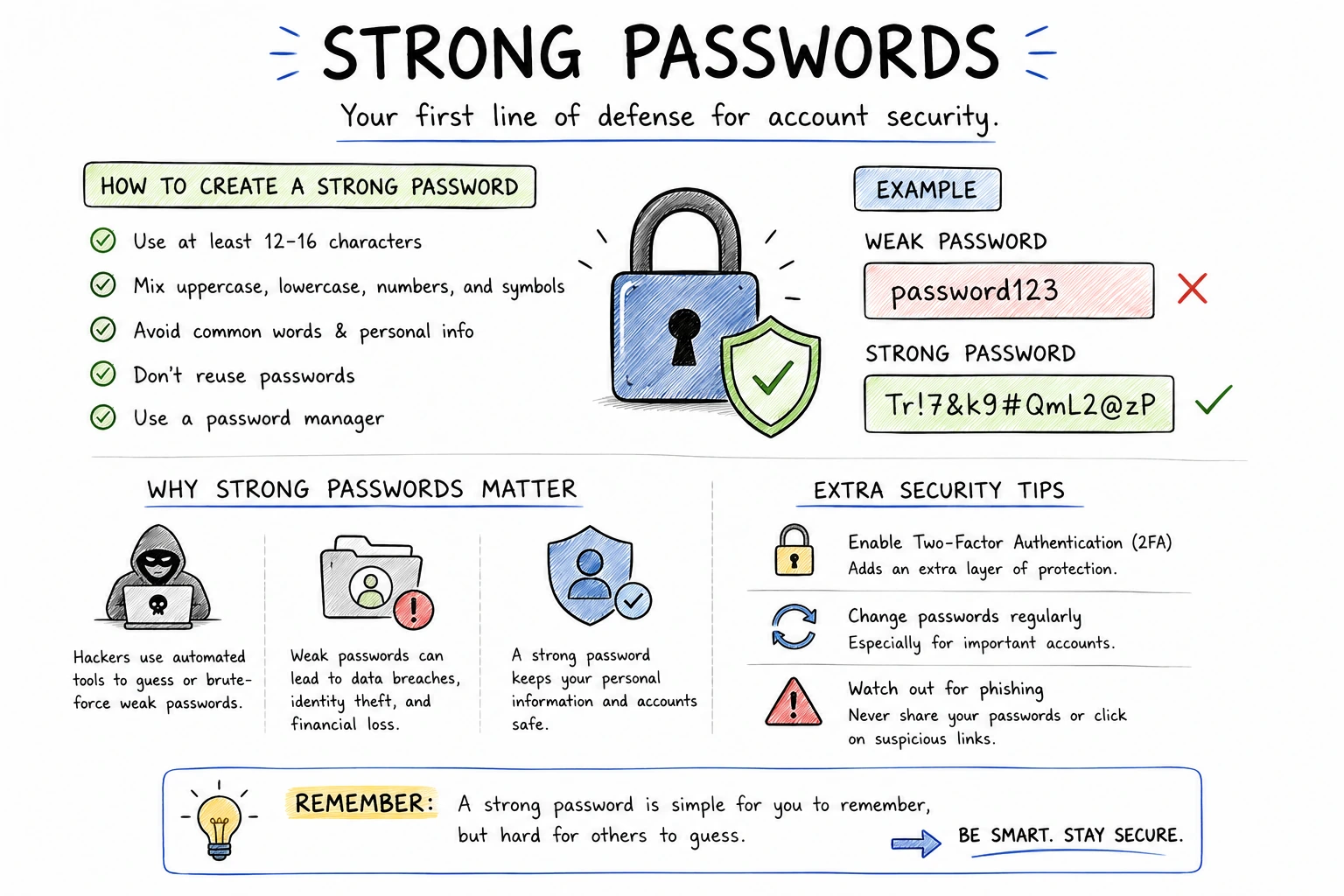
Every account should use a different password.
Strong passwords should include:
- 12–16+ characters
- Uppercase and lowercase letters
- Numbers and symbols
- No personal information
👉 Related: How to create strong passwords
2. Enable Two-Factor Authentication (2FA)
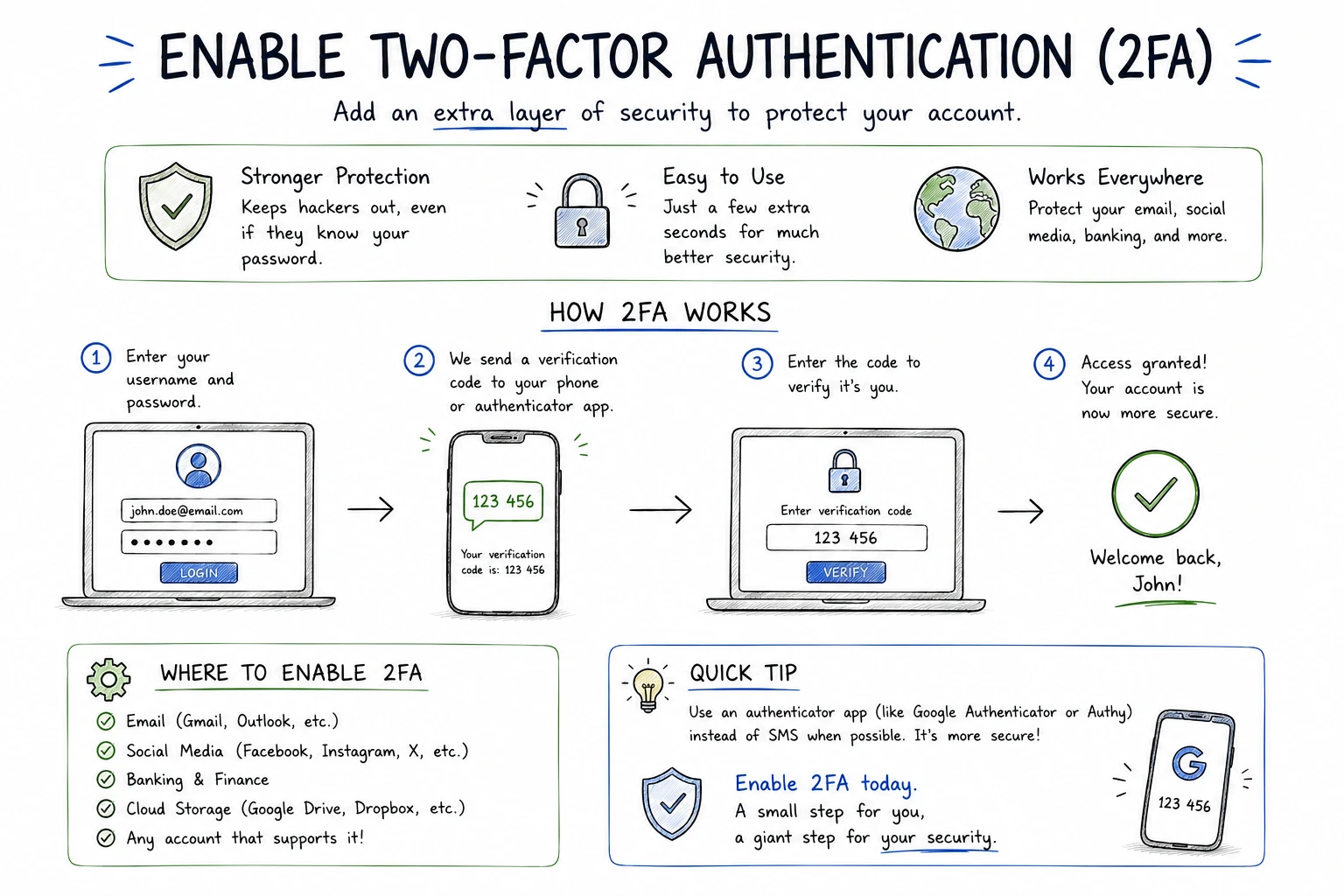
Two-factor authentication adds a second layer of security beyond your password.
Even if attackers steal your credentials, they usually cannot access your account without the second verification step.
Popular 2FA methods include:
- Authentication apps
- Security keys
- SMS verification codes
- Biometric verification
3. Use a Password Manager
[[image:password-manager|Password manager protecting login credentials]]Password managers are one of the best tools for account protection.
They help:
- Create strong passwords automatically
- Store credentials securely
- Prevent password reuse
- Reduce phishing risks
4. Avoid Phishing Attacks
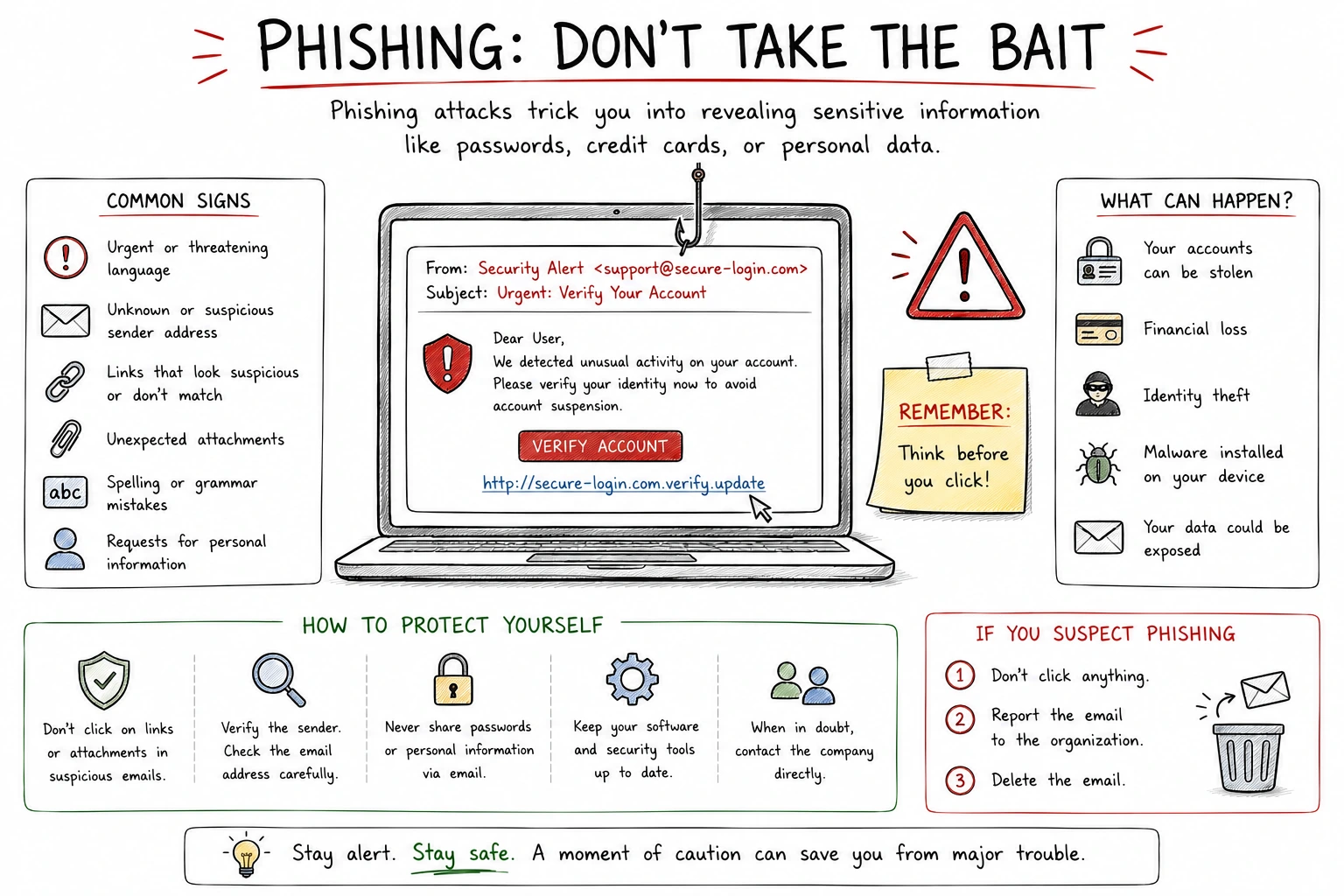
Phishing attacks remain one of the main causes of hacked accounts.
Attackers may impersonate:
- Banks
- Streaming services
- Social media platforms
- Delivery companies
- Tech support
Common warning signs include:
- Urgent language
- Suspicious links
- Fake login pages
- Unexpected attachments
👉 Related: How to avoid phishing attacks
5. Secure Public Wi-Fi Connections
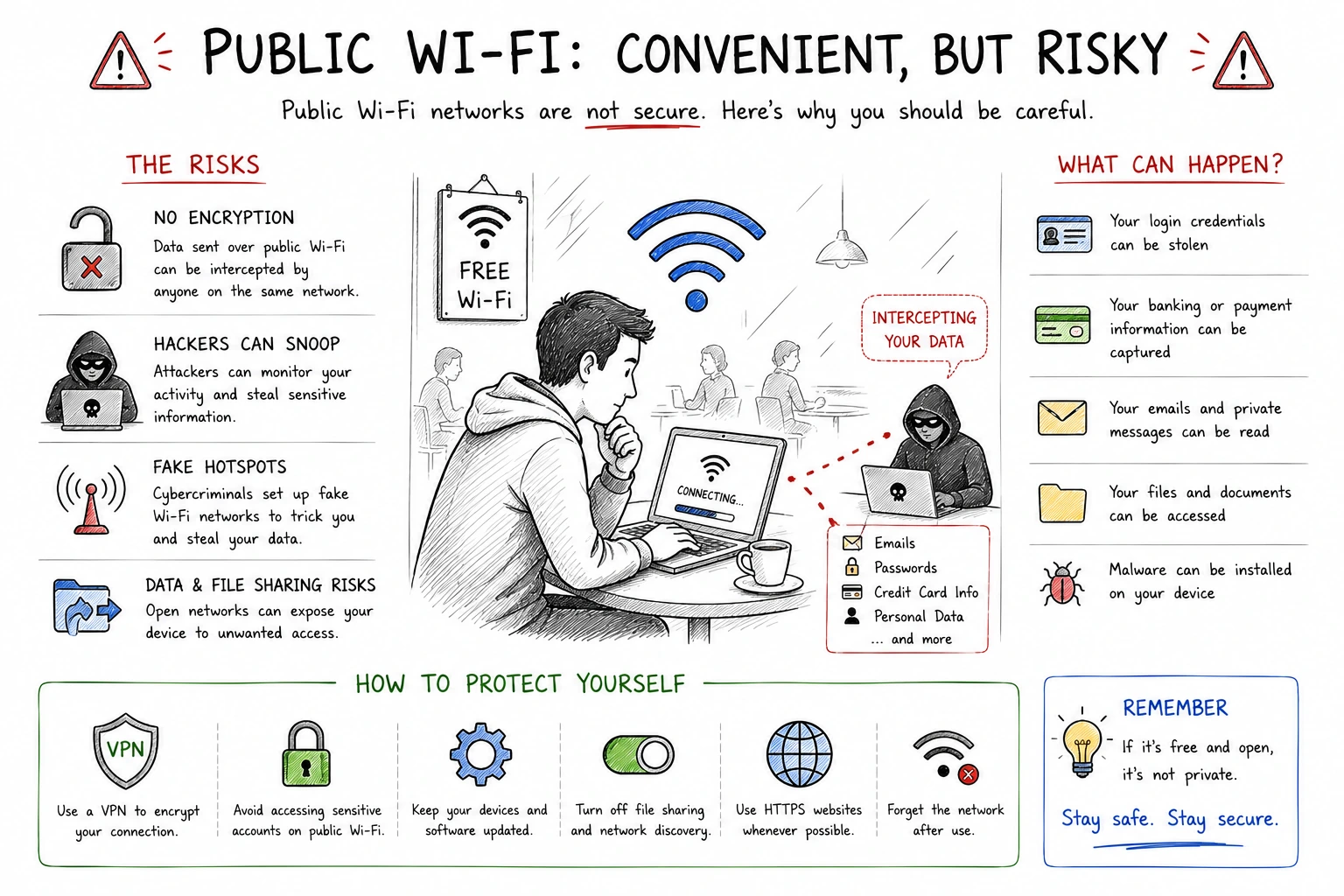
Public Wi-Fi networks can expose your data to attackers.
Hackers may intercept:
- Passwords
- Emails
- Session cookies
- Banking information
A VPN encrypts your connection and reduces interception risks.
6. Monitor Your Accounts Regularly
Good account security also requires ongoing monitoring.
- Review login activity
- Enable security alerts
- Check for unknown devices
- Update passwords after breaches
- Monitor suspicious behavior
Best Account Security Setup
| Level | Recommended Setup |
|---|---|
| Basic | Strong password + 2FA |
| Intermediate | Password manager + 2FA |
| Advanced | Password manager + VPN + monitoring tools |
What To Do If Your Account Gets Hacked
- Change the password immediately
- Enable or reset 2FA
- Log out from all devices
- Check recovery email settings
- Scan devices for malware
Fast action can prevent additional damage and account loss.
Frequently Asked Questions
What is the best way to protect online accounts?
The best way to protect online accounts is to use unique passwords, enable two-factor authentication, avoid phishing links, and use a password manager.
Is two-factor authentication necessary?
Yes. Two-factor authentication adds an extra layer of protection and can prevent attackers from accessing your account even if they steal your password.
Should I use a password manager?
Yes. A password manager helps create, store, and autofill strong unique passwords, reducing the risk of password reuse and credential theft.
What should I do if one of my accounts gets hacked?
Immediately change the password, enable or reset 2FA, log out from all devices, check recovery settings, and scan your device for malware.
Are strong passwords enough to protect my accounts?
No. Strong passwords are important, but they should be combined with two-factor authentication, phishing awareness, and account monitoring.
Final Verdict
Modern account security requires more than just a password.
Strong passwords, 2FA, phishing awareness, and password managers are now essential protections in 2026.
Layered security dramatically reduces the risk of account compromise.
How We Evaluated This Guide
We evaluated this guide for security, privacy, usability, pricing, features, and real-world usefulness so readers can make better decisions.
Alternative Options
We also compare this topic with relevant alternatives to help you decide whether it is the best choice for your needs.
Common Security Myths
Myth
iPhones cannot get malware.
Reality
iPhones are harder to compromise than many devices, but phishing, malicious profiles, scam apps, and account takeover still affect iOS users.
Myth
Android is automatically insecure.
Reality
Modern Android can be secure when updated, locked down, and used with trusted apps from reputable sources.
What Security Experts Recommend
- Use a reputable password manager for unique passwords and secure vault storage.
- Adopt passkeys on important accounts when available, but keep recovery methods protected.
- Enable two-factor authentication, preferably with an authenticator app or security key.
- Install operating system, browser, and app updates promptly.
- Review app permissions, browser extensions, and account recovery options every few months.
Best Security Tools

Bitdefender
Malware protection and device security
9.5

NordPass
Password managers, passkeys, secure sharing
9.3

NordVPN
VPN privacy, public Wi-Fi, streaming
9.6

Incogni
Personal data removal and broker opt-outs
9.2